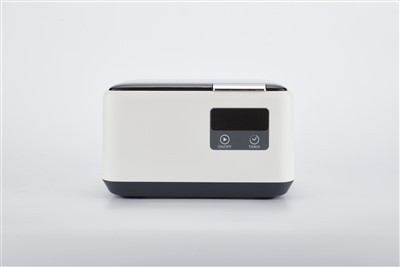
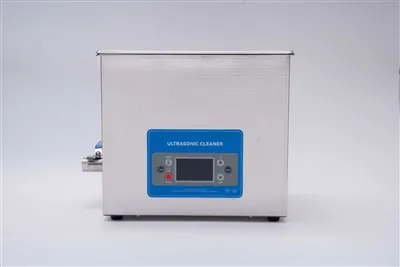
As a provider of ultrasonic eyeglass cleaners, I often receive inquiries from customers about the versatility of our products. One common question that comes up is whether an ultrasonic eyeglass cleaner can be used for computer glasses. In this blog post, I'll delve into the science behind ultrasonic cleaning, explore the unique characteristics of computer glasses, and provide a comprehensive answer to this query.
Understanding Ultrasonic Cleaning Technology
Ultrasonic cleaning is a highly effective method that utilizes high - frequency sound waves to generate microscopic bubbles in a cleaning solution. This phenomenon is known as cavitation. When these bubbles collapse near a surface, they create a powerful scrubbing action that can dislodge dirt, grime, and other contaminants from the object being cleaned.
Our Ultrasonic Eyeglass Cleaning Machine is designed to take full advantage of this technology. It operates at a specific frequency that is optimized for cleaning delicate items like eyeglasses. The machine is equipped with a tank filled with a suitable cleaning solution, and when the glasses are placed inside, the ultrasonic waves work their magic to clean every nook and cranny of the frames and lenses.
The Unique Characteristics of Computer Glasses
Computer glasses are specifically designed to reduce eye strain and protect the eyes from the harmful blue light emitted by digital screens. They often have special coatings on the lenses, such as anti - glare, anti - reflection, and blue - light filtering coatings. These coatings not only enhance visual clarity but also provide additional protection for the eyes.
In addition to the coatings, computer glasses may also have different frame materials and designs compared to regular eyeglasses. Some frames are made of lightweight and flexible materials to ensure comfort during long hours of computer use.
Can an Ultrasonic Eyeglass Cleaner be Used for Computer Glasses?
The short answer is yes, an ultrasonic eyeglass cleaner can be used for computer glasses, but with some precautions.


Advantages of Using an Ultrasonic Cleaner for Computer Glasses
- Thorough Cleaning: The ultrasonic cleaning process can reach areas that are difficult to clean by hand. It can remove stubborn dirt, fingerprints, and smudges from both the frames and the lenses of computer glasses. For example, the small crevices in the frame joints and the edges of the lenses can be effectively cleaned, ensuring that the glasses are as clean as possible.
- Gentle on Delicate Surfaces: Our 600ml Ultrasonic Eyeglass Cleaner is designed to be gentle on delicate materials. The frequency and intensity of the ultrasonic waves are carefully calibrated to avoid damaging the frames or the lens coatings. This means that the special coatings on computer glasses, such as anti - glare and anti - reflection coatings, are less likely to be scratched or damaged during the cleaning process.
Precautions to Take
- Choose the Right Cleaning Solution: It is crucial to use a cleaning solution that is compatible with the lens coatings of computer glasses. Some harsh chemicals can damage the anti - glare, anti - reflection, or blue - light filtering coatings. We recommend using a mild, pH - balanced cleaning solution that is specifically formulated for cleaning eyeglasses. You can usually find these solutions at optical stores or purchase them from us along with our Ultrasonic Eyeglass Cleaner.
- Limit the Cleaning Time: While ultrasonic cleaning is effective, over - cleaning can potentially damage the glasses. We suggest limiting the cleaning time to the recommended duration specified in the user manual of the ultrasonic cleaner. Generally, a cleaning cycle of 2 - 3 minutes is sufficient to remove most of the dirt and contaminants.
- Inspect the Glasses After Cleaning: After the cleaning process is complete, carefully inspect the computer glasses for any signs of damage. Check the lens coatings for scratches or peeling, and make sure the frames are still in good condition. If you notice any damage, stop using the ultrasonic cleaner and consult an optician.
Tips for Using an Ultrasonic Cleaner on Computer Glasses
- Pre - Rinse the Glasses: Before placing the computer glasses in the ultrasonic cleaner, give them a quick rinse under lukewarm water to remove any loose dirt or debris. This can help prevent the dirt from scratching the lenses during the cleaning process.
- Position the Glasses Properly: Place the computer glasses in the ultrasonic cleaner in a way that allows the cleaning solution to flow freely around them. Avoid stacking the glasses or placing them in a position where they are touching each other, as this can prevent the ultrasonic waves from reaching all parts of the glasses.
- Dry the Glasses Carefully: After cleaning, remove the glasses from the ultrasonic cleaner and gently pat them dry with a microfiber cloth. Avoid using paper towels or other rough materials, as they can scratch the lens coatings.
Conclusion
In conclusion, an ultrasonic eyeglass cleaner can be a great tool for cleaning computer glasses, as long as you take the necessary precautions. The technology offers a thorough and gentle cleaning method that can effectively remove dirt and contaminants from the frames and lenses of computer glasses.
If you are interested in purchasing an ultrasonic eyeglass cleaner for your computer glasses or have any questions about our products, we encourage you to reach out to us. We are always ready to provide you with more information and assist you in making the right choice for your cleaning needs.
References
- "Ultrasonic Cleaning Technology: Principles and Applications" - A technical guide on ultrasonic cleaning technology.
- "The Science of Eyeglass Coatings" - An article explaining the different types of coatings on eyeglass lenses.
- "Computer Glasses: Design and Function" - A research paper on the design and function of computer glasses.