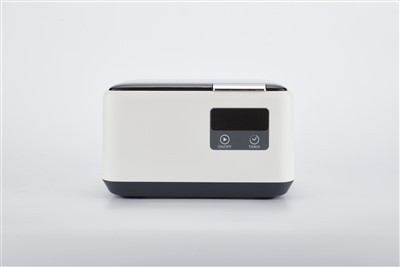
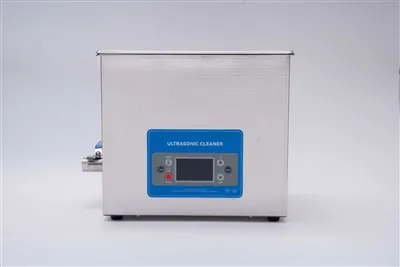
Hey there! As a supplier of ultrasonic eyeglass cleaners, I've seen my fair share of issues with these nifty little devices not working as they should. It can be super frustrating when your cleaner stops doing its job, but don't worry – I'm here to walk you through some troubleshooting steps to get it up and running again.
First Things First: Check the Basics
Before you start diving into the more complex stuff, it's always a good idea to check the basics. This might seem like a no - brainer, but you'd be surprised how often these simple steps can solve the problem.
Power Supply
The first thing you should do is make sure your ultrasonic eyeglass cleaner is properly plugged in. Sounds obvious, right? But sometimes the cord can get loose or the outlet might not be working. Try plugging the cleaner into a different outlet to see if that makes a difference. If it does, then you know the issue was with the original outlet.
Also, take a look at the power cord for any signs of damage, like frayed wires or cuts. If you notice any damage, it's best to replace the cord as soon as possible. Using a damaged cord can be dangerous and might prevent the cleaner from working correctly.
Water Level
Ultrasonic cleaners rely on water to create the ultrasonic waves that clean your eyeglasses. So, it's important to make sure there's enough water in the cleaner. Check the user manual to find out the recommended water level for your specific model. If the water level is too low, the cleaner might not work properly. Add more water until it reaches the appropriate level.
But be careful not to overfill it either. Too much water can cause the cleaner to malfunction or even damage it. If you accidentally overfill it, carefully drain some of the water until it's at the right level.
Inspect the Cleaner's Components
If the basics check out and your cleaner still isn't working, it's time to take a closer look at its components.
Transducer
The transducer is the part of the cleaner that creates the ultrasonic waves. Over time, it can get dirty or damaged, which can affect its performance. To check the transducer, first, unplug the cleaner and let it cool down. Then, carefully remove the water from the cleaner and inspect the bottom of the tank where the transducer is located.
Look for any signs of debris or buildup on the transducer. If you see any, you can try cleaning it gently with a soft cloth and some mild detergent. Be very careful not to scratch or damage the transducer while cleaning. If the transducer is severely damaged, you might need to replace it. You can find replacement transducers for most models on our website, like the Digital Ultrasonic Eyeglass Cleaner.
Control Panel
The control panel is where you set the cleaning time and other functions. If the control panel isn't working properly, it can prevent the cleaner from starting or stop it from working correctly. Check to see if all the buttons on the control panel are working. Press each button and see if the corresponding function activates.
If a button isn't working, it could be due to a loose connection or a faulty button. You can try gently pressing on the button a few times to see if that fixes the issue. If not, you might need to open the control panel and check the connections. However, this can be a tricky process, so if you're not comfortable doing it yourself, it's best to contact a professional.
Check for Blockages
Sometimes, blockages can prevent the ultrasonic waves from traveling through the water effectively, which can make the cleaner seem like it's not working.
Drainage Hole
Some ultrasonic eyeglass cleaners have a drainage hole to empty the water after cleaning. Check this hole to make sure it's not blocked. If it is, you can use a small, thin object like a toothpick to carefully clear the blockage. Just be careful not to push the blockage further into the hole.
Tubing (if applicable)
If your cleaner has tubing, check it for any kinks or blockages. Kinked tubing can restrict the flow of water and prevent the cleaner from working properly. Straighten out any kinks and make sure the tubing is clear of debris.
Software and Settings
If your cleaner has digital controls, there could be an issue with the software or settings.
Reset the Cleaner
Many digital ultrasonic eyeglass cleaners have a reset function. Check the user manual to find out how to reset your specific model. Resetting the cleaner can sometimes fix software glitches and restore it to its default settings.
Update the Software
Some newer models of ultrasonic cleaners allow you to update the software. Check our website to see if there are any software updates available for your cleaner. Updating the software can improve the performance and fix any bugs that might be causing the problem.
When All Else Fails
If you've tried all the troubleshooting steps above and your ultrasonic eyeglass cleaner still isn't working, it might be time to consider getting a new one. We offer a wide range of high - quality ultrasonic eyeglass cleaners, such as the Professional Ultrasonic Eyeglass Cleaner and the 600ml Ultrasonic Eyeglass Cleaner. These cleaners are designed to be reliable and effective, and they come with a warranty to give you peace of mind.
If you're in the market for a new ultrasonic eyeglass cleaner or have any questions about troubleshooting your current one, don't hesitate to reach out. We're here to help you find the best solution for your needs. Whether you're a small optometry clinic or an individual looking for a great way to keep your glasses clean, we've got you covered.


So, if you're interested in purchasing one of our ultrasonic eyeglass cleaners or need more information, just let us know. We can discuss your requirements and find the perfect cleaner for you.
References
- Manufacturer's user manuals for ultrasonic eyeglass cleaners
- Industry knowledge and experience as an ultrasonic eyeglass cleaner supplier