Quick answer: Start with the power source and the instructions for your exact model. If the cleaner will not turn on, disconnect it, inspect the cable and connector, and test it only with the input specified in the product manual. If it turns on but does not clean well, check the working water level, the position of the retainer and whether the tank needs cleaning. Stop using a unit with a damaged cable, leaking tank, unusual heat or a persistent electrical fault. Do not open a sealed housing or attempt to repair the ultrasonic components yourself.
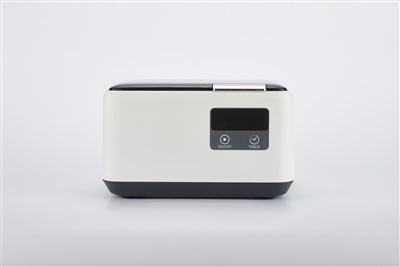
This guide separates three different complaints: no power, a cycle that ends unexpectedly, and poor cleaning despite a normal cycle. They do not have the same likely causes or service response. For retailers and private-label brands, recording the exact symptom before accepting a return makes support faster and gives the manufacturer evidence to investigate a repeated pattern. If you are evaluating Soner's mini ultrasonic retainer cleaner, use the manual and electrical label supplied with the purchased version as the operating reference.
1. No light or response: check the external power supply
Disconnect the unit before inspecting it. Look for visible damage to the lead, plug, connector and power adaptor. Check that the outlet or USB power source works with another device, then compare its rating with the cleaner's own label and manual. A USB-C socket does not, by itself, tell you which voltage or power profile a product requires. If the unit still does not respond with a compatible source, record the model and stop the test rather than repeatedly cycling the power.
2. The unit starts but stops early
Some cleaners finish automatically after a preset cycle; others may stop because the power source is unstable or a protection function has activated. First confirm the expected cycle length in the manual. Check that the connector is secure and that the unit has enough space around it for normal operation. Let it cool and test again only as the manufacturer directs. If the problem repeats, note the run time and any indicator pattern for the supplier's service team.
3. The unit runs, but the retainer still looks dirty
Use the working liquid level specified for the model and place the appliance so that the intended surfaces are exposed. Do not overload the tank. Empty and wipe the tank according to the manual; accumulated residue can make results inconsistent. Select a cleaning agent that is compatible with the appliance and the machine, following both manufacturers' instructions. Ultrasonic cleaning removes accessible soil, but it does not automatically disinfect or sterilize a retainer. If deposits remain, ask the appliance provider about an appropriate cleaning method rather than extending cycles without a defined limit. The American Association of Orthodontists' retainer-care guide discusses ultrasonic cleaning alongside daily care; it does not replace the instructions for a particular retainer.
4. What information should a retailer or distributor collect?
A single customer complaint and a repeated fault across a batch need different responses. For each reported failure, record the model, order or batch number, destination market, power source used, symptom, time to failure and a short video when available. Check whether the issue appears on one unit, several units from the same shipment or units used with the same adaptor. This helps the manufacturer separate an installation question from a product issue without guessing at the cause.
A service-desk triage record
- Identify: model and version, order or lot identifier, serial label if present, purchase date and market.
- Reproduce safely: symptom, indicator behaviour, whether a cycle begins, elapsed run time, liquid level and the input stated on the unit label. Do not ask a consumer to open the housing.
- Separate outcomes: user-instruction issue, power-accessory question, possible product fault or damage that requires immediate stop-use advice. Record the evidence and the agreed next action.
- Look for patterns: compare complaints against units shipped for the same model and period, then group by lot, adaptor, market and symptom. A count of complaints without the shipment denominator can mislead.
If you are reviewing a private-label programme, define the after-sales process before ordering: who handles customer triage, what evidence is needed for a claim, which parts or complete units can be replaced, and what service documents accompany the quoted configuration. Confirm the electrical version, retail instructions and test-document scope for the destination market. These details matter more than a generic promise that every model has the same feature set.
Turn a repeat complaint into an actionable supplier investigation
If several customers report the same failure, preserve representative units and send the supplier a concise case record containing the model revision, lot and shipment IDs, quantity shipped and affected, symptom categories, power arrangement, photos or video, and any conditions shared by the cases. Agree on how samples will be examined and how results will be reported. Do not label an entire batch defective from a single video, and do not keep selling a unit with a credible safety concern while its disposition is unresolved.
For a new OEM order, use an approved sample as the comparison point. Write down the exact input and included power accessory, cycle behaviour, usable tank space, user instructions, packaging and the agreed acceptance checks. Have the supplier confirm what happens if an incoming sample differs from that specification. This turns troubleshooting into a service process that both the buyer and factory can repeat.
Buyers reviewing how these products are made can also see Soner's Production Equipment page, which describes its electronics assembly, ultrasonic tank bonding and final assembly areas. Use that background to ask where your selected model is assembled and tested, and what records are available for the approved production specification.
Choosing a model that is easier to support
For a new range, start with the appliance dimensions and sales setting, then compare usable tank space, power arrangement, controls, accessories and the support instructions your customers will actually receive. Soner's retainer ultrasonic cleaner range offers several formats. These links are comparison starting points, not a claim that every model shares the same electrical input or control features:
Compact and travel-led offers
Compare the mini ultrasonic retainer cleaner with the travel retainer cleaner. Check the fit of the actual appliance and confirm the power version, supplied adaptor and instructions for the destination market before sampling.
Different home-use presentations
Compare the ultrasonic cleaner for retainers, digital retainer cleaner and household retainer cleaner when the compact format is not the best match. Request the current drawing, manual and sample for the exact model rather than transferring a troubleshooting instruction from another version.
Buying for distribution or an OEM brand?
Send the destination country, expected volume, appliance dimensions, preferred model, packaging and documentation needs. If you already have a recurring fault pattern, include the lot, affected and shipped quantities, input arrangement and a short symptom video. Ask for the exact model specification, sample test plan and after-sales route in the quotation.
Frequently asked questions
Should I keep running a cleaner that makes an unusual sound?
No. Disconnect it and compare the symptom with the instructions for the exact model. If the sound is new, persistent or accompanied by heat, leakage or electrical faults, contact the supplier before further use.
Can I inspect or replace the transducer myself?
Do not open a sealed cleaner for a consumer-level check. Give the supplier the model, batch information and symptom so an authorised service route can be agreed.
Does this checklist prove a batch is defective?
No. It is a triage record. A batch decision needs the agreed acceptance criteria, test conditions and supplier review of representative units.
Can a customer use any USB-C power adaptor?
Do not infer compatibility from the connector shape. Check the rated input on that unit and the instructions for the purchased version; ask the supplier if the supplied accessory is missing or unclear.
Can a longer cycle fix a retainer that still looks dirty?
First check appliance positioning, working level, tank condition and cleaning-agent compatibility. Do not exceed the model's instructions or assume ultrasonic action replaces all retainer-care steps. For persistent deposits or a damaged appliance, ask the orthodontic provider for advice.
Sources and product information: American Association of Orthodontists, How to Clean Your Retainer at Home; Soner retainer ultrasonic cleaner category; Soner mini-model product page. Safety and operating steps must be checked against the manual supplied with the purchased model.